

Deleting an old file can feel as final as tossing a paper into the trash. Yet the information may remain on the device, even after you empty the recycle bin or reset the equipment. Businesses often have the wrong idea that deleting sensitive data is as simple as clicking a button and moving on. That assumption can leave confidential records exposed when old devices are sold, recycled, or discarded. Learn where “deleted” data remains and how businesses can dispose of storage media more securely.
Misconception 1: Deleting Files Removes Data
Deleting a file typically removes the operating system’s directions for finding it, not the underlying information itself. The device may treat that storage space as available, but the data can remain until it is overwritten or the storage media is physically destroyed.
Deletion Removes File References
A computer uses file references to track where information is stored on a drive. When a user deletes a file, the system usually removes or changes that reference. The underlying data may remain in the same physical location, even though it no longer appears in its original folder. Someone with suitable recovery tools may still be able to locate and reconstruct it.
Data May Remain Recoverable
Recovery software can scan storage media for information that the operating system no longer displays. The likelihood of recovery depends on the device, its storage technology, and what happened after deletion. Continued use may eventually overwrite some of the old information, but businesses can’t assume that every sensitive file has been replaced. Retiring the device soon after deletion may leave a significant amount of recoverable data intact.
Overwriting Is Not Guaranteed
Many businesses assume normal computer use will quickly overwrite deleted records. In practice, the device decides where new data is saved, so the deleted file’s storage area may remain untouched. Large-capacity drives may have enough unused space that the system has little reason to reuse that location. Relying on accidental overwriting doesn’t provide a controlled or verifiable form of data destruction.
Misconception 2: Deleting Accounts Removes Data

Deleting an employee or user account may prevent that person from signing in, but it doesn’t necessarily erase the files associated with the account. Documents, emails, downloads, cached information, and backup copies may remain on the device, server, or cloud platform. Shared folders and administrative backups may also retain records long after the account disappears from the user list.
Businesses should review where the account’s data is stored before retiring a device or closing access. Files that must be retained should be transferred through an approved process, while sensitive information that is no longer needed should be securely sanitized or destroyed. Removing access and removing data are separate steps, and both should be documented.
Misconception 3: Only Computers Store Sensitive Data
Another mistake businesses often make when deleting sensitive data is focusing only on computers and laptops. These devices are only part of a company’s data footprint. Servers, external hard drives, USB drives, backup tapes, and mobile devices may also contain customer details, financial records, employee information, or internal communications.
Overlooked Equipment Can Store Data
Multifunction printers, scanners, copiers, security systems, and network devices may contain internal drives or memory components. When this equipment is discarded, the stored information may remain accessible. Reviewing each device’s storage capabilities can prevent sensitive data from leaving the company unnoticed.
Track and Secure Retired Devices
A complete inventory should identify each device, its assigned user or department, and the type of data it may contain. Clear tracking and secure storage protect the chain of custody until the device is properly sanitized or destroyed. Retired equipment should remain in a controlled location rather than in general waste, open collection areas, or unsecured recycling bins.
Misconception 4: Formatting and Resets Erase Everything
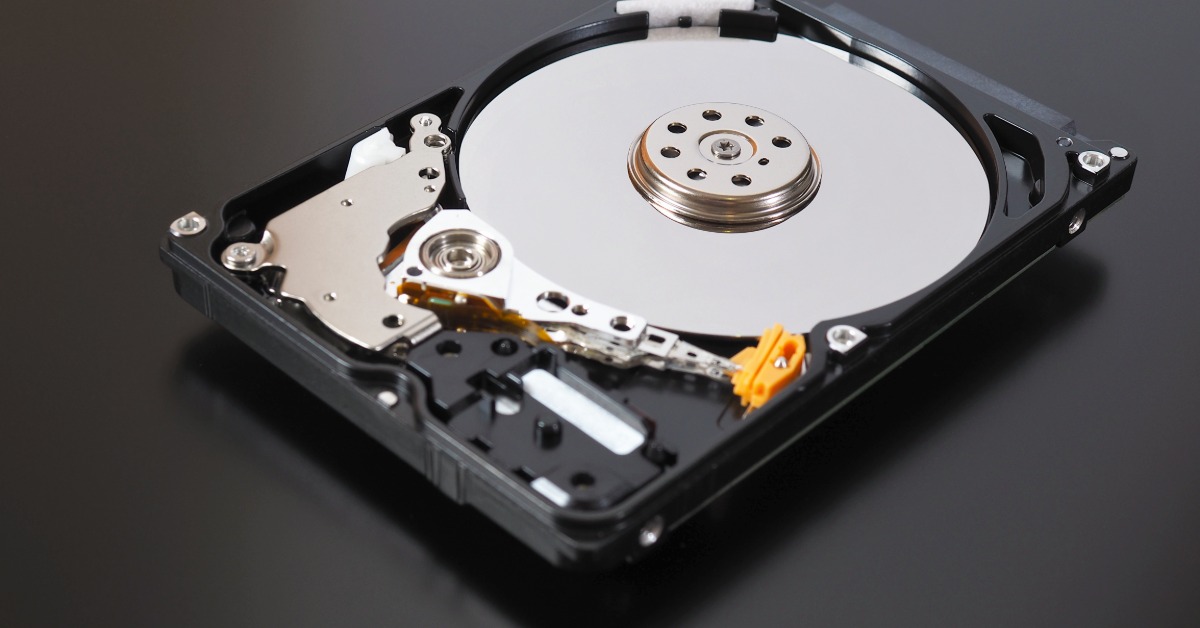
Formatting and factory resets can serve useful administrative purposes, but they’re not interchangeable with verified data destruction. Their effectiveness varies according to the device, the type of storage media, and the specific process used.
Quick Formats Leave Data
A quick format generally creates a new file system structure without overwriting every piece of existing information. The drive may look empty when it’s reopened, even though much of the prior data remains on the storage media. Recovery tools may be able to identify files, fragments, or metadata from the earlier system.
Factory Resets Vary
A factory reset is designed to return a device to a default operating state. The process may remove accounts, applications, and user-facing files, but its data-removal procedures vary by manufacturer and device model. Some resets rely on encryption or internal sanitization features, while others perform a less complete deletion. Companies should verify the manufacturer’s documentation rather than assuming that every reset produces the same result.
Solid-State Drives Behave Differently
Solid-state drives manage stored information differently from traditional magnetic hard drives. Features such as wear leveling can distribute data across memory cells in ways that make ordinary overwriting less predictable. A software process that works for one type of drive may not provide the same result for another. Media-specific sanitization or physical destruction may be necessary when the device contains highly sensitive records.
Misconception 5: One Method Works for Every Device
Businesses sometimes assume the same deletion or disposal method works for every device. In reality, hard drives, solid-state drives, backup tapes, USB drives, and other media store data differently. Companies should consider the storage type, sensitivity of the information, and whether the equipment will be reused before choosing a destruction method.
Another mistake is making a device unusable without confirming that its data is inaccessible. Drilling one hole, breaking a screen, or removing a computer’s casing may leave readable storage components intact. IntelliSHRED offers a secure shredding service with on-site hard drive destruction. This allows businesses to witness the destruction of the media before the remaining materials are recycled.
Deleted files can remain recoverable long after they disappear from view. Businesses can reduce that risk by identifying every data-bearing device, choosing the right destruction method, and keeping clear records of the process. Witnessed, on-site destruction also gives companies greater visibility into how sensitive media is handled. Contact IntelliSHRED to arrange secure destruction for retired devices and protect confidential information before it leaves your control.